


Bookings
Let customers book appointments online: services, staff hours, live availability, reminders and a calendar for your team.
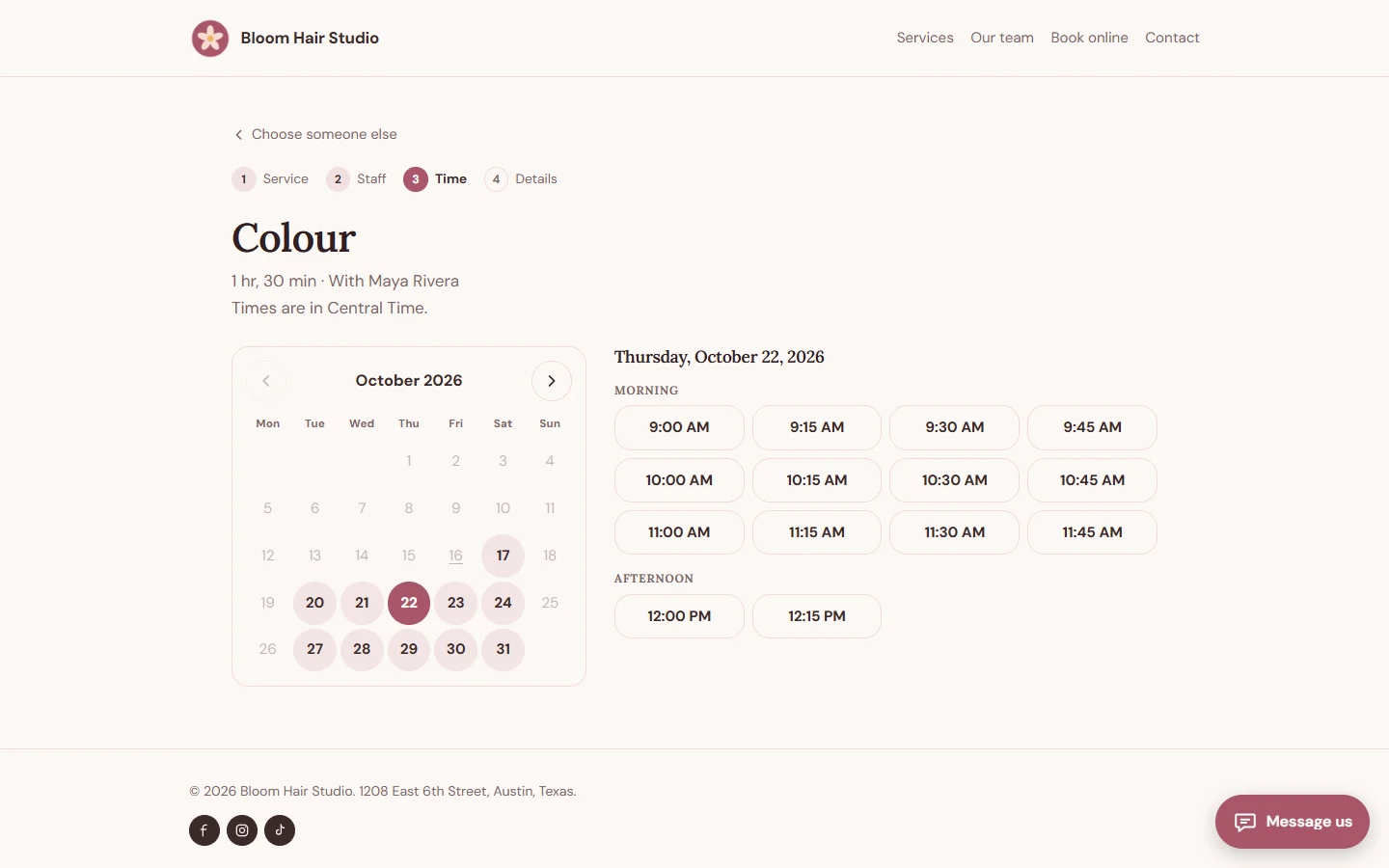
Bookings lets your customers book appointments on your site, at times you are actually free.
For your customers:
- Choose a service, a staff member or anyone available, a day and a time, in a few clear steps
- Only free times are offered, based on working hours, days off, buffers and existing bookings
- Confirmation by email with an add-to-calendar file and a Google Calendar link
- Change or cancel their own booking from a link in the email, within the rules you set
- Reminders by email before the appointment
For you:
- Services with duration, price, buffers before and after, and capacity for classes
- Staff with their own weekly hours, services and days off
- A week and day calendar, and a list of bookings to search and filter
- Approve, decline, reschedule, mark as completed or no-show, and add bookings taken by phone
- Rules for minimum notice, how far ahead people can book, and cancellation cut-off
- Page builder elements: booking button, services list and staff list
Time zones and daylight saving are handled for you. Staff can block part of a day, a receptionist can handle bookings without access to your settings, and staff linked to a Console account see their own calendar first.
Your customers see every button, message and email in your site's language: English, Urdu, Arabic, Hindi, French, Spanish, German, Portuguese, Italian, Turkish, Indonesian, Dutch, Russian or Chinese, with Arabic and Urdu reading right to left. You can reword anything on the Texts screen.
Install on your Webfaze site
- Open your Webfaze admin and go to Extensions, then Add new.
- Search for bookings and press Install.
- Check the permissions screen, then switch it on.
Webfaze checks the directory’s signature on the package before installing it.