

Newsletter and Popups
Grow your email list with popups, bars and sign-up forms, and send newsletters to your subscribers from your own site.
WebfazeReviewed and signed
Install freeFrom your Webfaze admin, under Extensions
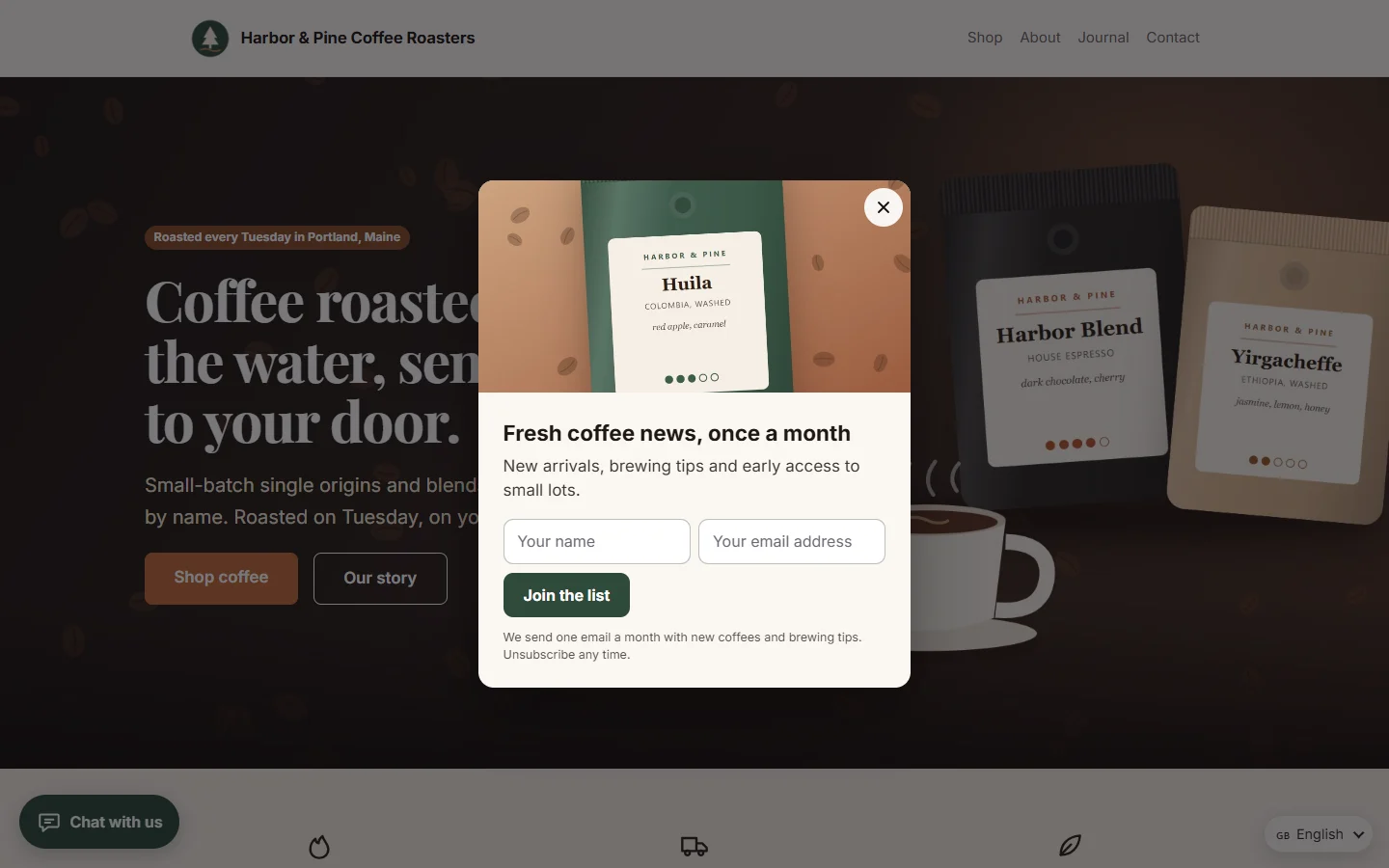
Newsletter and Popups turns visitors into subscribers and keeps them coming back.
Popups and bars:
- Centered popups, slide-ins, top and bottom bars and full-screen popups
- Show them after a delay, on scroll, when someone is about to leave, or after a number of pages
- Choose the pages and devices they appear on, how often, and between which dates
- A sign-up form or a button, with your own colours and image
- Views, closes and sign-ups for each popup, so you can see what works
Subscribers:
- Sign-up forms anywhere with the page builder element
- Double opt-in with a confirmation email, and one-click unsubscribe in every email
- Lists, search, import and export
- Consent recorded with the date and the wording people agreed to
- Optional sync to Mailchimp or Brevo
Campaigns:
- Write and send newsletters to everyone or to chosen lists, now or later
- Sent through your own email settings, in batches, with a report for each campaign
- No tracking pixels in your emails
Your customers see every button, message and email in your site's language: English, Urdu, Arabic, Hindi, French, Spanish, German, Portuguese, Italian, Turkish, Indonesian, Dutch, Russian or Chinese, with Arabic and Urdu reading right to left. You can reword anything on the Texts screen.
Install on your Webfaze site
- Open your Webfaze admin and go to Extensions, then Add new.
- Search for newsletter-popups and press Install.
- Check the permissions screen, then switch it on.
Webfaze checks the directory’s signature on the package before installing it.